Reviewing the current process
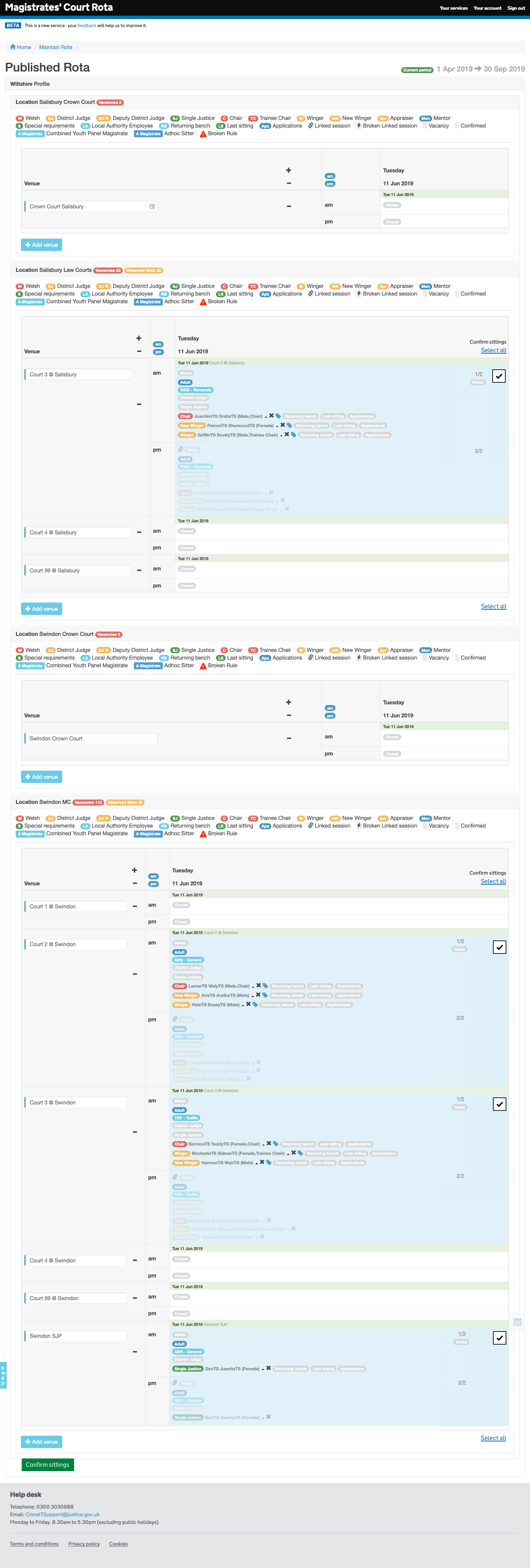
During a site visit to Southampton Magistrates Court, I identified an issue where administrators had to confirm a number of sittings each day. If they do not complete this task regularly, it becomes more cumbersome and takes longer.
To prove that work was needed, I devised a short questionnaire. A large percentage of users responded that confirming sittings takes them over an hour a day.
The UX problem
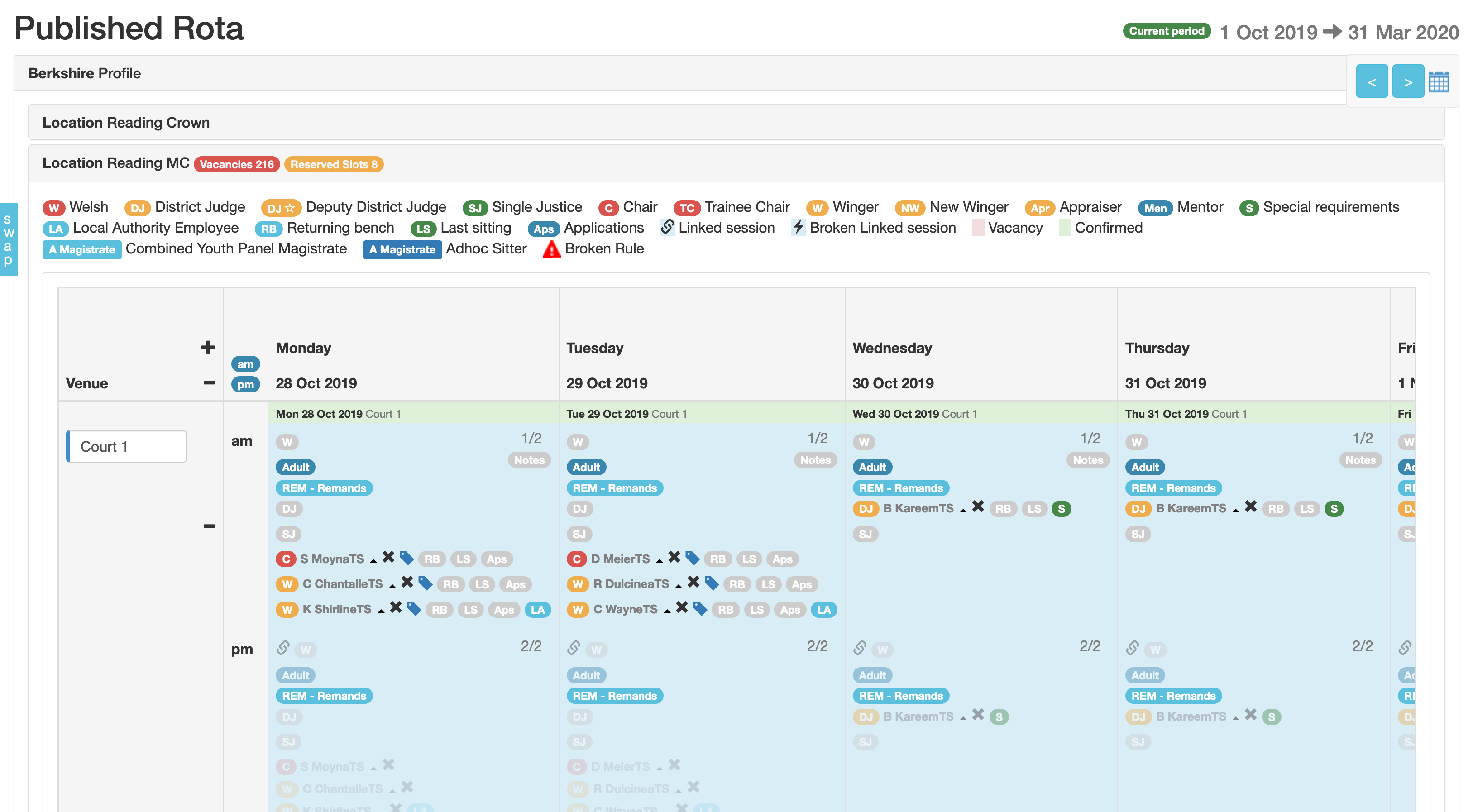
Confirming sittings is done by entering the calendar view of the session rota, called the “maintain rota” screen. They must click each day individually, and then click “confirm” next to each sitting.
Challenges
- Rota administrators manually confirm attendance after court sessions
- Administrators manage multiple venues, each with many sessions per day
- Confirmation is time-consuming and resource-intensive:
- No shortcuts
- Multiple clicks per session
Design requirements
- Allow users to confirm multiple sittings at once
- Eliminate need to enter calendar view
- Display user-friendly list of unconfirmed sittings
- Confirm all with minimal clicks
- Filter by court venue
- Edit a court session before confirming
- Follow GDS standards
Actions
- Reviewed current process
- Interviewed staff and ran surveys
- Created Sketch prototype
- Presented designs to users and client
- Iterated design 5 times with UR and show & tells

The solution
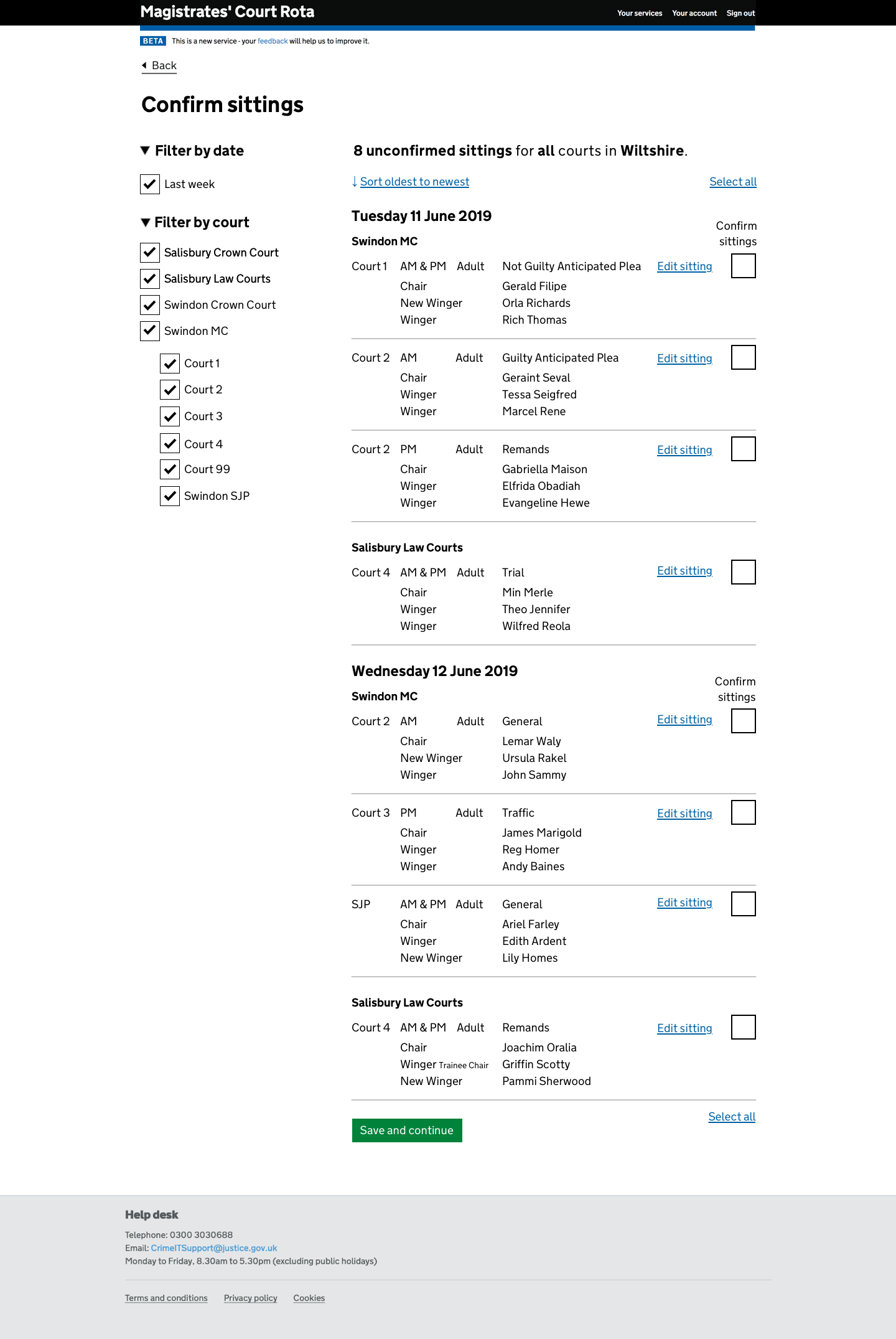
Admins now see a menu upon sign-in, where unconfirmed sittings are one click away.
They can:
- Filter by venue
- Sort by date
- Edit sessions before confirming
- Select all unconfirmed sittings in one go
Outcomes
- Proved inefficiencies in old system
- New prototype drastically reduces time spent
- Gained client trust through user-centric iteration
- Reduced confirmation task from 1 hour to a few minutes
- Enhanced accuracy and improved staff workflow
- Met business objectives with time and cost savings
Further work identified
- Add ability to perform judiciary swaps from the confirm screen
Screens
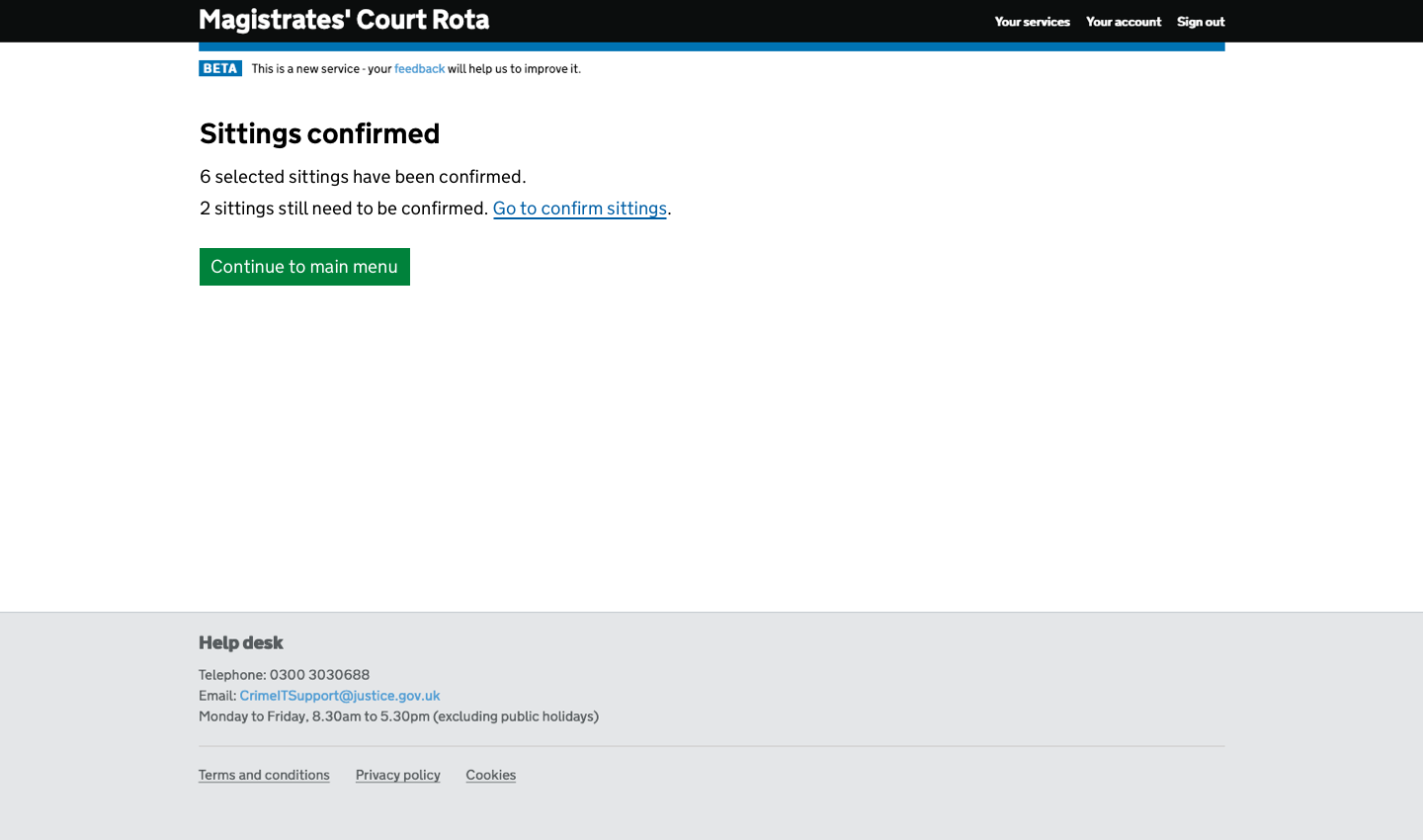
Early prototype showing “select all” capability as a proof of concept and quick-win option: